Best AI Tools for Students in 2026: 15 Powerful Tools to Study Smarter and Save Time
Best AI Tools for Students in 2026
Artificial Intelligence (AI) has transformed the way students learn. Whether you're preparing for exams, writing assignments, learning programming, or conducting research, AI tools can save time and improve your understanding of complex topics.
However, using the right AI tool is important. Instead of relying on a single application, students should choose tools based on their learning needs, such as writing, coding, note-taking, presentations, or research.
Here are some of the best AI tools every student should consider in 2026.
1. ChatGPT
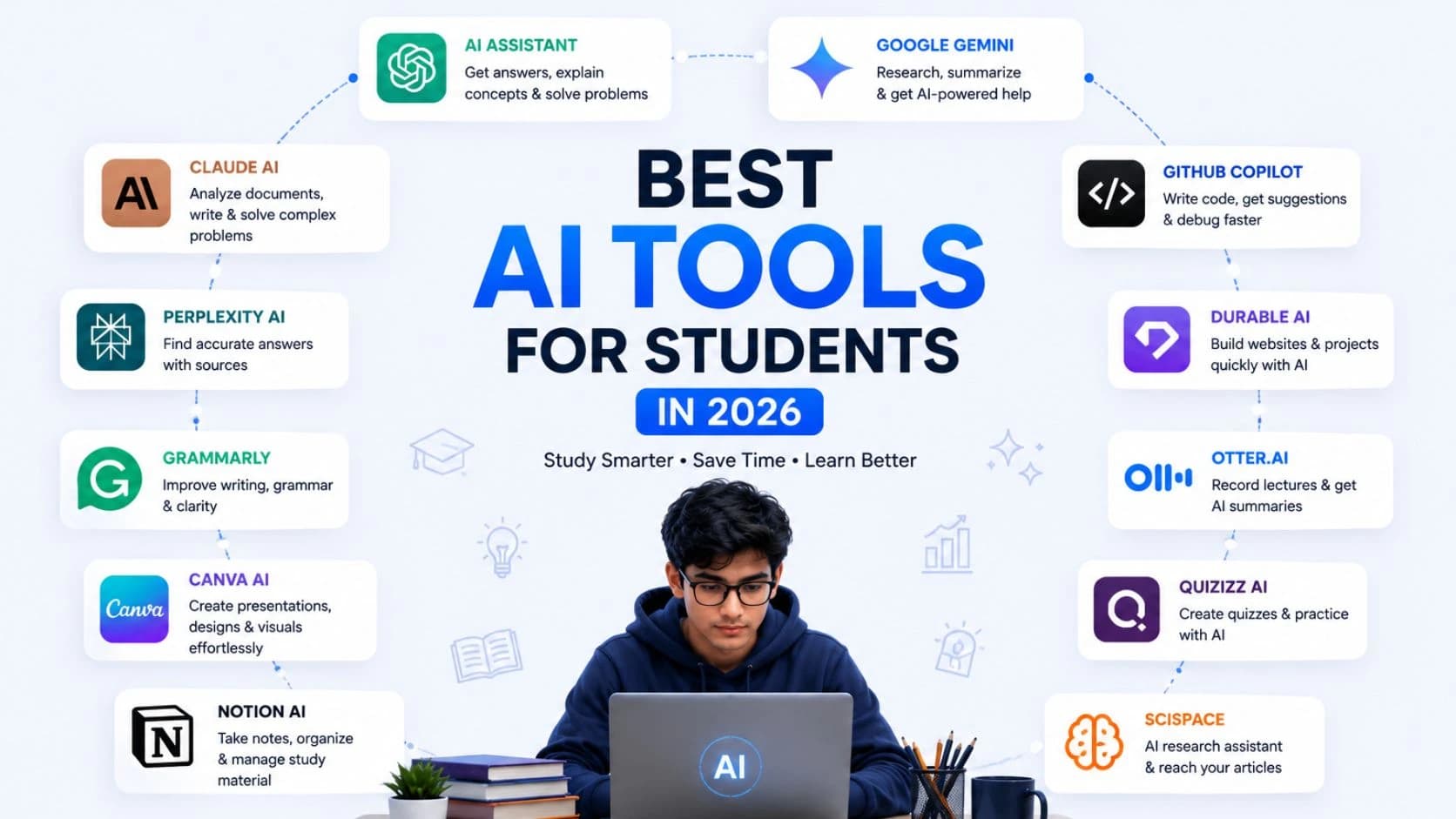
ChatGPT is one of the most popular AI assistants for students. It helps explain concepts, solve programming problems, summarize lengthy articles, generate study notes, and assist with assignments.
Best for:
Homework assistance
Programming help
Essay writing
Exam preparation
Brainstorming ideas
2. Google Gemini
Gemini integrates well with Google Workspace and is especially useful for students who frequently use Google Docs, Gmail, Drive, and Search.
Best for:
Research
Document summarization
Email drafting
Presentation ideas
3. Claude AI
Claude is known for producing detailed, well-structured responses. It performs exceptionally well when analyzing long documents, research papers, and technical content.
Best for:
Research analysis
Academic writing
Long-form summaries
4. Perplexity AI
Perplexity AI combines AI responses with web search and references, making it useful for fact-checking and finding reliable information.
Best for:
Research
Latest information
Source-based answers
5. Grammarly
Grammarly helps improve grammar, spelling, sentence structure, and writing clarity.
Best for:
Assignments
Reports
Emails
Professional writing
6. Canva AI
Students can create professional presentations, posters, resumes, certificates, and social media graphics using Canva's AI-powered design features.
Best for:
Presentation design
Infographics
Posters
Visual projects
7. GitHub Copilot
Computer science students and developers can write code faster with GitHub Copilot. It provides intelligent code suggestions and improves development speed.
Best for:
Programming
Web development
Software engineering
Quick Comparison
AI Tool | Best Use |
|---|---|
ChatGPT | Learning & Problem Solving |
Gemini | Research & Google Workspace |
Claude | Academic Writing |
Perplexity | Research with Sources |
Grammarly | Writing Improvement |
Canva AI | Presentations & Design |
GitHub Copilot | Coding |
Tips for Using AI Responsibly
AI should support your learning rather than replace it. Keep these practices in mind:
Use AI to understand concepts instead of copying answers.
Verify important information from trusted academic sources.
Rewrite AI-generated content in your own words.
Cite sources when required by your school or university.
Avoid submitting AI-generated work without reviewing it.
Responsible use of AI helps you develop critical thinking and problem-solving skills while maintaining academic integrity.
Common Mistakes Students Make
Depending entirely on one AI tool.
Copying AI-generated content without checking accuracy.
Ignoring plagiarism policies.
Not verifying facts and references.
Using outdated AI-generated information.
Frequently Asked Questions
Which AI tool is best for students in 2026?
ChatGPT, Google Gemini, and Claude are among the best AI tools, depending on whether you need help with learning, research, or writing.
Are AI tools free for students?
Many AI tools offer free plans with limited features. Premium plans provide advanced capabilities for heavy users.
Can AI help with programming?
Yes. ChatGPT and GitHub Copilot are excellent for explaining programming concepts, debugging code, and learning new technologies.
Is it safe to use AI for assignments?
AI can help you learn and organize ideas, but you should always review the content, verify facts, and follow your institution's academic policies.
Which AI tool is best for research?
Perplexity AI and Google Gemini are strong choices because they help you explore information efficiently and, in many cases, point you toward supporting sources.
Key Takeaways
AI tools can improve productivity, learning, and research when used responsibly.
Different tools excel at different tasks such as writing, coding, design, and research.
Always verify AI-generated information and maintain academic honesty.
Combining multiple AI tools often produces better results than relying on a single one.
Conclusion
Artificial Intelligence is becoming an essential learning companion for students. Choosing the right AI tool depends on your goals, whether it's understanding difficult subjects, improving writing, creating presentations, or learning programming. By using AI responsibly and combining it with your own effort, you can learn faster, stay organized, and prepare for future careers more effectively.
Artificial Intelligence is becoming an essential learning companion for students. Choosing the right AI tool depends on your goals, whether it's understanding difficult subjects, improving writing, creating presentations, or learning programming. By using AI responsibly and combining it with your own effort, you can learn faster, stay organized, and prepare for future careers more effectively.
Written by
Praxiaskill
Last updated
23 July 2026