
RAG Explained: How AI Learns From Your Own Documents
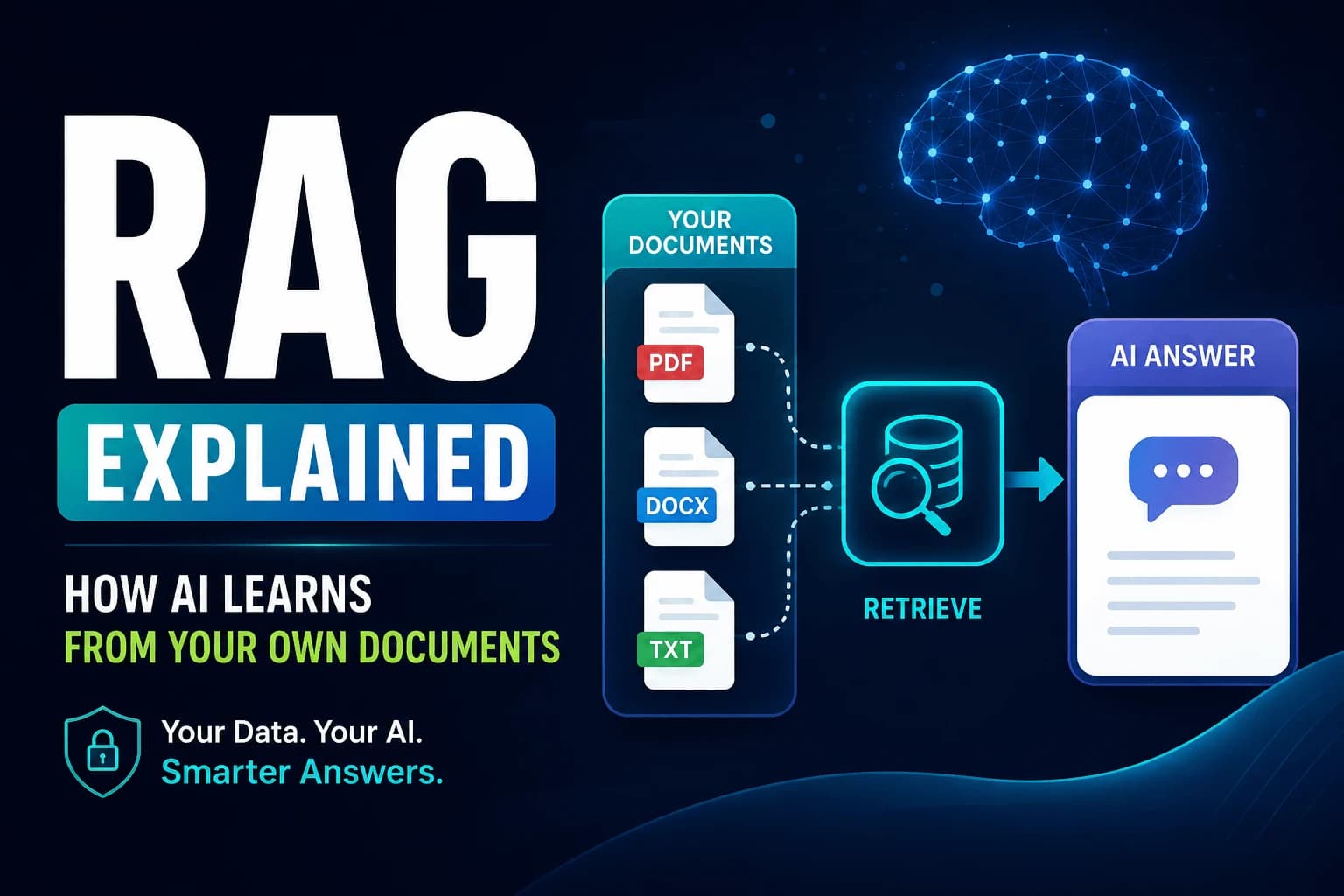
Have you ever asked an AI assistant a question about your company's internal documents, product manuals, policies, or private files and received a generic answer?
That's because a standard AI model doesn't automatically know what's inside your personal or business documents.
This is where Retrieval-Augmented Generation (RAG) becomes useful.
RAG allows an AI application to retrieve relevant information from your own document collection and provide that information to a language model before generating an answer. Instead of relying only on what the AI learned during its original training, the system can use a connected knowledge base to produce responses grounded in specific information.
In simple terms, RAG helps AI answer questions using your own data.
It can be particularly useful for businesses that want to build document assistants, internal knowledge systems, customer support tools, research applications, and other AI solutions that need access to external or private information.
Why Doesn't a Standard AI Model Know Your Documents?
Large AI models are trained on huge amounts of information, but that doesn't mean they automatically have access to your latest business files.
Imagine that your company updates its employee handbook today.
A general AI model won't automatically know about that change simply because the document exists on your computer or company server.
When an AI doesn't have the information required to answer a question, it may:
Give a general response
Say it doesn't have enough information
Make an incorrect assumption
Generate an answer that sounds convincing but isn't supported by your documents
Retraining an entire foundation model every time your internal information changes would also be expensive and impractical.
RAG offers another approach: retrieve the relevant information when the user asks a question and give that information to the AI as context.
What Is RAG?
RAG stands for Retrieval-Augmented Generation.
Think of RAG as giving an AI access to an intelligent digital library.
Instead of asking the model to answer entirely from its existing knowledge, the system first searches a collection of documents for information relevant to the user's question.
The relevant content is then passed to the AI model, which uses that context to generate the response.
For example, imagine you have hundreds of product manuals.
A customer asks:
"What is the warranty period for Product X?"
A basic AI model may not know the answer.
A RAG-based system can:
Search your product documentation.
Find the section related to Product X.
Retrieve the relevant information.
Send that information to the language model.
Generate an answer based on the retrieved content.
This makes the AI response more closely connected to your actual documentation.
The original article describes this process as retrieving relevant passages from a private document repository and supplying them to the model as context before generating the response.
How Does a RAG System Work?
A typical RAG pipeline can be understood through three major stages.
1. Document Ingestion and Chunking
First, your documents need to be prepared.
These could include:
PDFs
Word documents
Markdown files
Product documentation
Internal guides
Knowledge-base articles
Customer information
Large documents are divided into smaller sections called chunks.
Why?
Because searching an entire document every time a user asks a question is inefficient. Smaller sections make it easier for the system to identify relevant information.
The source describes breaking documents into smaller text segments before they are processed further.
2. Convert Text Into Embeddings
The next step is creating vector embeddings.
An embedding converts a piece of text into a numerical representation that captures aspects of its meaning.
These representations can then be stored in a vector database.
Instead of simply looking for exact words, the system can search for content that is semantically related to the user's question.
For example, a user might ask:
"How long can I return this product?"
while the document contains:
"Customers may request a refund within 30 days of purchase."
The wording is different, but the meaning is closely related.
Semantic search helps connect these concepts.
The source explains that document chunks are converted into numerical vectors that represent their semantic meaning and can be stored for retrieval.
3. Retrieve Relevant Information and Generate the Answer
When someone asks a question, the RAG system converts the query into a form that can be compared with stored document embeddings.
It then retrieves the most relevant pieces of information.
Those retrieved sections are provided to the language model as context.
The model can then generate a response using that retrieved information.
In simplified form:
User Question → Search Knowledge Base → Retrieve Relevant Content → AI Generates Answer
This retrieval-and-generation process is the foundation of a RAG application.
RAG vs Fine-Tuning: What's the Difference?
RAG and fine-tuning are often confused, but they solve different problems.
RAG
RAG gives an AI model access to external information when it needs it.
It is useful when:
Your documents change frequently
You need answers based on private information
You want a knowledge-base assistant
You need source-grounded responses
You don't want to retrain the model whenever information changes
Fine-Tuning
Fine-tuning changes how a model behaves by training it further on a specific dataset.
It can be useful for adapting a model's style, behavior, or task-specific performance.
For frequently changing business information, RAG can be a more practical approach because the underlying document collection can be updated without retraining the entire foundation model.
Common RAG Implementation Mistakes
Building a RAG system isn't simply about connecting documents to an AI model.
The quality of the retrieved information has a major impact on the final answer.
Poor Document Chunking
If documents are split at the wrong places, important context can be separated.
For example, a heading may be placed in one chunk while the explanation belongs to another.
This can make retrieval less accurate.
Messy or Duplicate Data
Poor-quality documents, duplicated files, bad OCR, and inconsistent formatting can introduce irrelevant information into your knowledge base.
If the source data is messy, the AI may retrieve the wrong information.
Too Much Retrieved Content
More context isn't always better.
Sending too many document sections to the model can make it harder to identify the information that actually matters.
A good RAG system needs to balance relevance, context and efficiency.
How to Improve RAG Performance
Optimize Chunk Size and Overlap
There isn't one perfect chunk size for every project.
Experiment with different chunk sizes based on your documents and use overlap where appropriate so important context isn't lost between chunks.
The source recommends overlapping chunks to reduce the chance of separating related sentences or information.
Use Hybrid Search
Semantic search is powerful, but sometimes exact keyword matching is equally important.
For example, a product code such as PX-4500 may need an exact match.
A hybrid search approach can combine:
Keyword Search + Semantic Search
This can help a RAG system handle both exact terms and broader conceptual questions.
Keep Your Knowledge Base Updated
A RAG system can only retrieve what is available in its knowledge base.
If old documents remain in the system after new policies or product information are introduced, the AI may retrieve outdated information.
Regularly review your document collection.
Remove outdated files, replace old versions, and keep the knowledge base organized.
The source specifically recommends treating the document store as an actively maintained knowledge library.
Can RAG Prevent AI Hallucinations?
RAG can reduce the risk of hallucinations, but it cannot guarantee that an AI will never produce an incorrect answer.
Why?
Because the retrieved information itself may be:
Outdated
Incomplete
Ambiguous
Contradictory
Incorrectly indexed
The AI can also misunderstand the retrieved context.
So RAG should not be viewed as a magic solution for AI hallucinations.
Instead, think of it as a way to give the model better and more relevant evidence before it generates an answer.
The source makes the same distinction: RAG can significantly reduce hallucinations by grounding responses in retrieved information, but conflicting or unclear source documents can still cause problems.
Where Is RAG Used?
RAG can be useful anywhere an AI application needs access to a specific body of information.
Common examples include:
Customer Support
An AI assistant can search product documentation and FAQs before responding to customer questions.
Internal Knowledge Assistants
Employees can ask questions about company policies, procedures, documentation, or internal resources.
Research
Researchers can use document-based AI tools to search and summarize information from selected sources.
Product Documentation
A RAG assistant can help users find answers inside technical manuals and product guides.
FAQ Systems
Businesses can create AI-powered FAQ assistants that retrieve answers from an approved knowledge base.
These are among the common applications identified in the source material.
Do You Need a Vector Database for RAG?
For the RAG approach described in this article, a vector database is commonly used to store and retrieve text embeddings based on semantic similarity.
Examples include:
Pinecone
Chroma
Qdrant
The exact technology you choose depends on your application's requirements, data size, infrastructure, and search strategy.
A Simple Example of RAG
Imagine a training institute has 500 PDF documents containing:
Course information
Student policies
Faculty guidelines
Exam rules
Fee policies
A student asks:
"What is the procedure for requesting a re-examination?"
A traditional AI model may provide a generic answer.
A RAG-powered assistant can search the institute's documents, retrieve the relevant policy, and generate a response based on that information.
The difference is important:
Generic AI: "Here's what re-examination policies usually look like."
RAG AI: "According to your institute's examination policy, here is the relevant procedure..."
That is the real value of connecting AI to your own knowledge base.
Final Thoughts
RAG is one of the most practical approaches for connecting generative AI with private or specialized information.
Instead of retraining a large AI model every time your documents change, a RAG system can retrieve relevant information from a maintained knowledge base and provide it to the model when needed.
But building a useful RAG application requires more than simply uploading documents.
You need to think carefully about:
Document quality → Chunking → Embeddings → Retrieval → Context → Generation → Evaluation
When these components are designed properly, RAG can help turn a general-purpose AI model into a much more useful assistant for a specific business, organization, or workflow.
The key idea is simple:
Don't expect AI to magically know your documents. Give it a reliable way to find and use them.
Written by
Praxiaskill
Last updated
25 August 2026
